
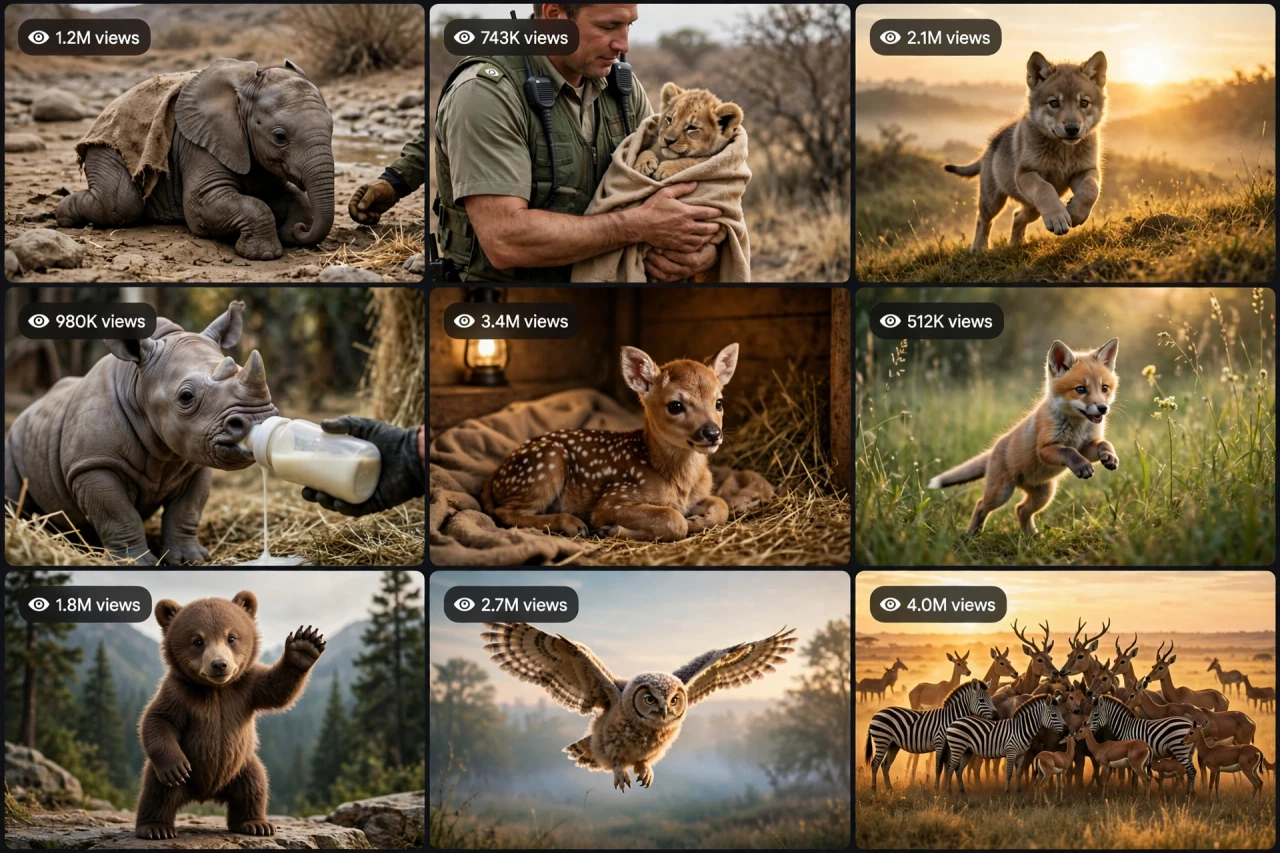
The Story Behind This Prompt
The wilderness is vast and quiet — and in the middle of it, one tiny life is fading. A baby elephant calf lies weak beside a dry riverbed... until a ranger's boot steps into frame and gentle hands lift him into a warm blanket. Days later, under a golden sunrise, the crate opens — and he runs toward his herd, turning for one last look back. WILDSTORY-OS V1 rebuilds that tear-jerking wildlife rescue as one smart master prompt: you answer a few simple questions, choose whether you want one ready-made prompt for the whole video or a separate prompt for each scene, and it writes the complete journey for you — the find, the rescue, the recovery, and the freedom — with a viral pack of titles, caption and hashtags. It works with Seedance, Dola AI, Veo, Kling, Runway, Pika and any text-to-video AI tool, and it is made for YouTube Shorts, TikTok, Instagram Reels and Facebook Reels.
HOW TO USE:
- Copy the prompt: Scroll down to the code box at the bottom of this post and copy the full WILDSTORY-OS V1 prompt — every line, nothing skipped.
- Answer the 5 setup questions: Paste the prompt into a chatbot like ChatGPT (or straight into Seedance, Dola AI or any text-to-video AI tool) and it will ask you 5 simple questions: how long the video is, which wild animal stars, who the rescuer is, and where the animal's true home is — and the last one, how you want your final prompt. Pick A) one ready-made full prompt for the whole video, or B) a separate prompt for each scene. If you are ever unsure, just type "surprise me".
- Get your video prompt: The system builds everything for you. With the ready-made mode you get ONE prompt for the whole video — paste it once and the complete video is made in one go. With the scene mode you get one ready prompt per scene, in the perfect order: the find, the gentle rescue, the warm shelter recovery, the goodbye, and the sunrise freedom reunion.
- Make the video: Paste the prompt into your AI video tool and generate. If you picked the scene mode, make the clips one by one in the same order. Check each clip quickly: it must be the same animal with the same markings in every shot — and the animal must only ever look weak and tired, never hurt.
- Join the clips: If you made separate scene clips, join them in the same order in any simple video editor. The final shot is your ending — and your thumbnail.
- Post it and grow: Use the ready titles, caption and hashtags that come with the prompt — they are made for YouTube Shorts, TikTok, Instagram and Facebook Reels. One new rescue story a day keeps the hearts coming. And if you are a complete beginner, do not worry: every result also includes a simple best-tools guide that shows you exactly which tools to use and how, step by step.
WILDSTORY-OS V1 — HIGH-RETENTION REALISTIC WILDLIFE STORY ENGINE
The interactive master prompt system that creates the most-watched realistic wildlife story videos on the internet: one wild animal in trouble, one kind human who steps in, one impossible journey back to freedom — and a final reunion that makes millions of viewers cry, share, and follow. Real animals, real emotion, zero cruelty, zero staged danger.
Works with: Seedance, Dola AI, Veo, Kling, Runway, Pika and any text-to-video / image-to-video AI generator.
Made for: YouTube Shorts, TikTok, Instagram Reels, Facebook Reels.
Character lock: ONE wild animal with fixed species, size, markings and age, ONE rescuer with a fixed look, and ONE wild home that never changes — the same animal in every scene, from the first weak moment to the final free run. A story about kindness: the animal is only ever weak, tired, hungry or lost — never graphically hurt, never attacked on camera, never in a fight. The danger is always OFF screen (a storm that already passed, a river that already dried, a forest that is already quiet).

==================================================
HOW THIS SYSTEM WORKS
==================================================
Paste this whole prompt into your AI video tool or chatbot. It will first ask you 5 quick setup questions (STATE [0]). Answer them, or type "surprise me" on any question. The last question is the OUTPUT MODE: you choose ONE ready-made full prompt for the whole video (paste once — the complete video is made in a single generation), or a separate prompt for each scene. It then builds your video prompt(s) with the full wildlife arc, animal locks and sound design — plus a viral pack of titles, caption and hashtags, and a simple best-tools guide for beginners.

==================================================
STATE [0] — SETUP QUESTIONS (the AI asks these first)
==================================================
Q1 — VIDEO LENGTH: How long is the video?
  A) 10 seconds (the find → the rescue → the freedom)
  B) 20 seconds (the full rescue arc)
  C) 30 seconds (the complete story with the shelter recovery)
  D) 60 seconds (the full journey — the find, the storm night, the recovery, the release, the reunion)
  Or: surprise me

Q2 — THE ANIMAL: Which wild animal is the star?
  A) A baby elephant calf, weak beside a dry riverbed (the classic)
  B) A tiny lion cub found alone at the edge of the savanna
  C) A baby rhino calf who has lost his mother in the tall grass
  D) A wolf pup shivering at the forest edge after a storm
  Or: surprise me

Q3 — THE RESCUER: Who finds and saves the animal?
  A) A kind wildlife ranger in a khaki uniform with a warm blanket (the classic)
  B) A village vet with a soft voice and a medical bag
  C) A young forest guard on her first patrol
  D) A wildlife photographer who puts the camera down and picks the animal up
  Or: surprise me

Q4 — THE HOME: Where does the animal belong in the end?
  A) The open savanna with its herd waiting at golden sunrise (the classic)
  B) A green forest clearing where its pack howls at dusk
  C) A wide river valley where its family drinks at dawn
  D) A quiet mountain meadow above the clouds
  Or: surprise me

Q5 — OUTPUT MODE: How do you want your final video prompt? (Read both carefully — then pick one)
  A) READY-MADE FULL PROMPT: ONE single ready-to-paste prompt for the WHOLE video at the length you picked above. Paste it once into your video tool and the complete video is generated in one go — no joining clips. Best for beginners and one-click results.
  B) SCENE-BY-SCENE PROMPTS: a separate ready-to-paste prompt for EACH scene, numbered and in order. You generate the scenes one by one and join them yourself. Best for full control and the cleanest quality.
  Or: surprise me (the AI picks A for 10-20 seconds, B for 30-60 seconds)

After the answers, the AI locks the choices: the animal's species, size, markings and age, the rescuer's uniform and face, and the wild home never change between scenes.

==================================================
THE WILDLIFE ARC (locked scene order)
==================================================
SCENE 1 — THE FIND (hook, first 2 seconds): the wild place, wide and quiet — then the camera finds the animal: small, weak, alone. One close look into its eyes. The viewer must stop scrolling in 2 seconds.
SCENE 2 — THE RESCUE: gentle hands, a warm blanket, a bottle of milk, a soft voice. No rushing, no grabbing — the rescuer moves slowly, the animal trusts. The audience exhales.
SCENE 3 — THE SHELTER RECOVERY: the warm shelter, the first strong steps, the first playful moment — the animal eating, drinking, looking up with bright eyes. Hope returns, one small win at a time.
SCENE 4 — THE GOODBYE: the crate opens at the edge of the wild home. The rescuer kneels, the animal hesitates, looks back once — the hardest and most beautiful second of the whole video.
SCENE 5 — THE FREEDOM REUNION: the animal runs — toward its herd, its pack, its family — golden light, dust and grass flying, the family turning, the reunion. The final freeze frame is the animal free with its own kind — this frame is the thumbnail.

Duration scaling:
- 10s: Scenes 1, 2, 5 only (the find, the rescue, the freedom).
- 20s: all 5 scenes, tight.
- 30s: all 5 scenes with the longer shelter recovery and the goodbye.
- 60s: the full journey — the find, the storm night in the shelter, the recovery, the release, the reunion at sunrise.

==================================================
CONSISTENCY CHECKLIST (the AI checks every scene against this)
==================================================
[ ] The animal looks identical in every scene — same species, size, markings, age and eye colour
[ ] The rescuer never changes face, uniform or voice between scenes
[ ] The wild home, shelter and light stay the same in every shot
[ ] The animal is only ever weak, tired, hungry or lost — never graphically hurt, never attacked, never fighting
[ ] The danger is always off screen — a storm that passed, a river that dried, a forest gone quiet
[ ] The reunion is clear in one second: the animal running toward its own kind, not away
[ ] No text, logos or watermarks anywhere in the video

==================================================
AUDIO ARC (wildlife sound design)
==================================================
- 10s: wild wind and birdsong → a soft gasp at the find → joyful drums at the freedom run
- 20s/30s: nature ambience, the rescuer's gentle voice, the bottle and blanket sounds, a warm swell at the goodbye, triumphant music for the reunion
- 60s: the full journey — the quiet wild, the storm night, the shelter warmth, the dawn birds, the reunion music
Rule: the goodbye needs one full second of silence before the animal runs — let the emotion land. Natural sounds only; no scary music, no roars used as a jump scare.

==================================================
CAMERA RULES
==================================================
- The wild place is filmed wide and golden; the find is filmed close on the animal's eyes
- The rescue is filmed low and gentle, at the animal's eye level — never from above like a hunt
- The reunion is a wide golden shot, the animal running toward camera and past it
- Vertical 9:16 for Shorts/TikTok/Reels unless the user picks horizontal 16:9
- Warm golden light throughout — dawn for the find, soft lamp light for the shelter, sunrise for the freedom

==================================================
NEGATIVE PROMPT (always attach)
==================================================
no changing animals, no injured or bloody animals, no attacks, no fights, no hunting, no cages as punishment, no sad endings, no distorted faces, no extra limbs, no text, no logos, no watermark

==================================================
OUTPUT MODE RULES (the AI follows these exactly)
==================================================
MODE A — READY-MADE FULL PROMPT: deliver EXACTLY ONE prompt that contains the whole video — every scene in order with its timing written inside it (0-2s the find, 2-6s the rescue...), with the animal locks and the negative prompt folded in. The user pastes it ONCE and gets the full video in a single generation. NEVER split Mode A into separate prompts.
MODE B — SCENE-BY-SCENE PROMPTS: deliver one separate ready-to-paste prompt per scene, numbered, in the locked scene order. Each scene prompt repeats the animal, rescuer and wild home descriptions in full, so every generated clip matches the others perfectly.
Whichever mode the user picks, the viral pack below is always delivered too.

==================================================
VIRAL OUTPUT PACK (the AI delivers this with every video prompt)
==================================================
1. The final copy-paste video prompt — delivered in the chosen OUTPUT MODE (Mode A: one ready-made full prompt for the whole video / Mode B: one prompt per scene, in order)
2. FIVE fresh wildlife story ideas for the next videos (new animals, new rescues, new reunions)
3. FIVE viral titles (emotion + reunion words: "He Waited 3 Days For This Moment...", "Wait For The Last Look Back"...)
4. ONE ready caption with a question that invites comments ("Would YOU have stopped to help?")
5. Hashtags: #wildlife #animalrescue #emotional #viralshorts #nature
6. CTA line: "Follow for a new rescue story every day"

==================================================
BEST TOOLS + BEGINNER GUIDE (the AI prints this with every output)
==================================================
Completely new to AI video? Follow these 3 simple steps:
STEP 1 — RUN THIS MASTER PROMPT in a free chatbot: ChatGPT, Claude or Gemini. Paste this whole master prompt there, answer the 5 questions, and the chatbot builds your video prompt(s) for you.
STEP 2 — MAKE THE VIDEO in a video tool. The best tools for this style: Seedance and Dola AI (the easiest to use), Veo (top quality), Kling, Runway and Pika. Open the tool, choose text-to-video, paste the prompt from Step 1, set the size to vertical 9:16, and press generate.
STEP 3 — YOUR MODE: Mode A (ready-made) = paste the one full prompt once and the whole video is made in a single go. Mode B (scene-by-scene) = generate each scene prompt one by one, download every clip, and join them in order in a free editor — CapCut is the easiest.
Tip: if your video tool only makes short clips, use Mode B and join the clips — that is exactly how the long videos are made.

==================================================
GOLDEN RULES
==================================================
1. The eyes sell the story — the find must be a close look into the animal's eyes in 2 seconds.
2. Kindness is the whole plot — gentle hands beat big drama every time.
3. The goodbye needs silence first, then the run.
4. End on the reunion — that frame is the thumbnail.