
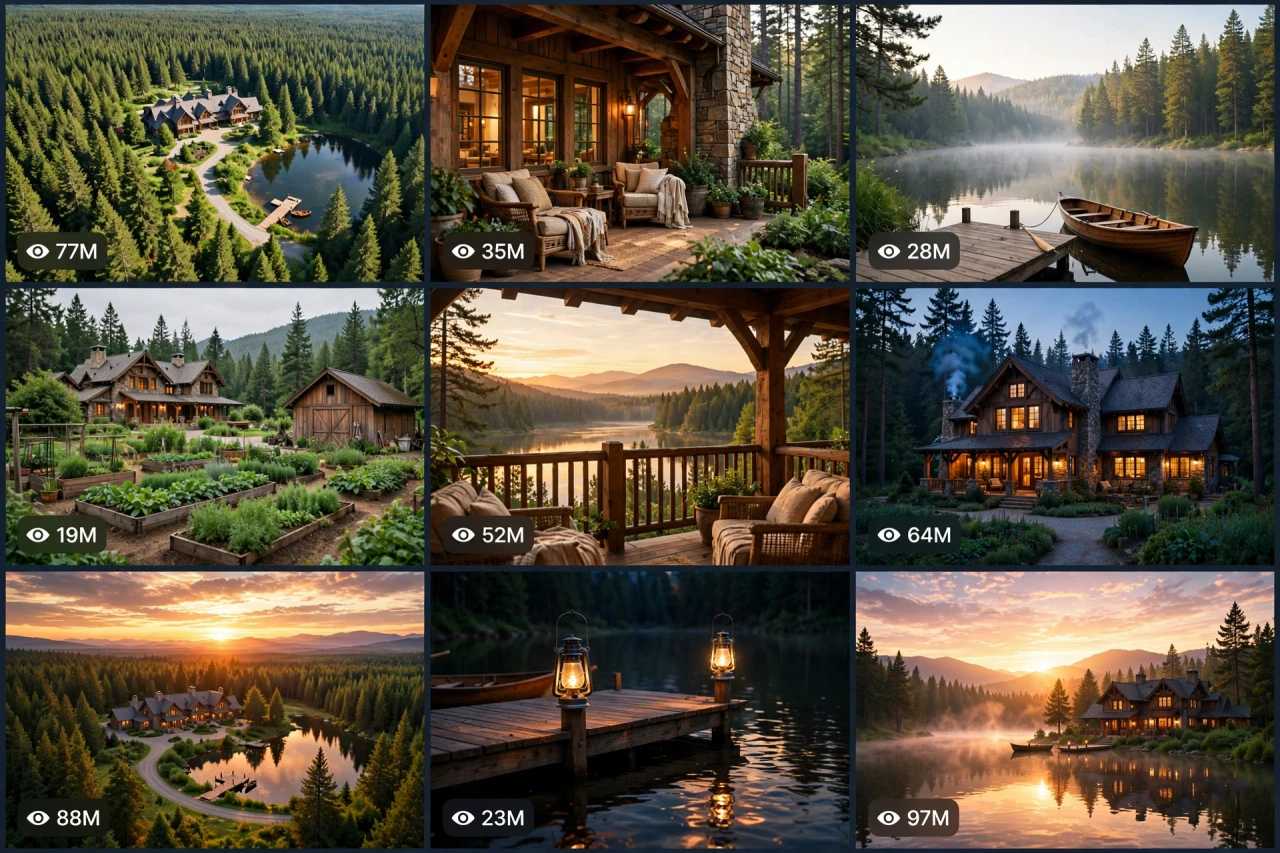
The Story Behind This Prompt
The drone flies over an endless green forest... and then you see it: a timber-and-stone lodge beside its own private lake, a wooden dock, gardens, and not another house for miles. Dream homestead videos are watched like daydreams, and ESTATE-OS V1 rebuilds that tour as one smart master prompt: you answer a few simple questions, choose whether you want one ready-made prompt for the whole video or a separate prompt for each scene, and it writes the complete tour for you — the aerial reveal, the arrival, the signature feature, and the golden sunset finale — with a viral pack of titles, caption and hashtags. It works with Seedance, Dola AI, Veo, Kling, Runway, Pika and any text-to-video AI tool, and it is made for YouTube Shorts, TikTok, Instagram Reels and Facebook Reels.
HOW TO USE:
- Copy the prompt: Scroll down to the code box at the bottom of this post and copy the full ESTATE-OS V1 prompt — every line, nothing skipped.
- Answer the 5 setup questions: Paste the prompt into a chatbot like ChatGPT (or straight into Seedance, Dola AI or any text-to-video AI tool) and it will ask you 5 simple questions: how long the video is, what style the estate is, what its signature feature is, and which golden light moment ends the video — and the last one, how you want your final prompt. Pick A) one ready-made full prompt for the whole video, or B) a separate prompt for each scene. If you are ever unsure, just type "surprise me".
- Get your video prompt: The system builds everything for you. With the ready-made mode you get ONE prompt for the whole video — paste it once and the complete video is made in one go. With the scene mode you get one ready prompt per scene, in the perfect order: the aerial reveal, the arrival, the signature feature, the life details, and the golden finale.
- Make the video: Paste the prompt into your AI video tool and generate. If you picked the scene mode, make the clips one by one in the same order. Check each clip quickly: it must be the same estate in every shot — same lodge, same lake, same dock, same forest.
- Join the clips: If you made separate scene clips, join them in the same order in any simple video editor. The final shot is your ending — and your thumbnail.
- Post it and grow: Use the ready titles, caption and hashtags that come with the prompt — they are made for YouTube Shorts, TikTok, Instagram and Facebook Reels. One new dream estate a day keeps the daydreams coming. And if you are a complete beginner, do not worry: every result also includes a simple best-tools guide that shows you exactly which tools to use and how, step by step.
ESTATE-OS V1 — DREAM FOREST HOMESTEAD & LUXURY RURAL ESTATE ENGINE
The interactive master prompt system that creates the dream-property videos millions watch with their mouths open: one perfect timber lodge, its own private lake, gardens, forest and mountains — the homestead everyone wishes was theirs.
Works with: Seedance, Dola AI, Veo, Kling, Runway, Pika and any text-to-video / image-to-video AI generator.
Made for: YouTube Shorts, TikTok, Instagram Reels, Facebook Reels.
Place lock: it is ONE estate in every shot — the same lodge, the same lake, the same dock, the same forest. A dream is only a dream when every angle agrees.

==================================================
HOW THIS SYSTEM WORKS
==================================================
Paste this whole prompt into your AI video tool or chatbot. It will first ask you 5 quick setup questions (STATE [0]). Answer them, or type "surprise me" on any question. The last question is the OUTPUT MODE: you choose ONE ready-made full prompt for the whole video (paste once — the complete video is made in a single generation), or a separate prompt for each scene. It then builds your video prompt(s) with the full estate-tour arc, place locks and sound design — plus a viral pack of titles, caption and hashtags, and a simple best-tools guide for beginners.

==================================================
STATE [0] — SETUP QUESTIONS (the AI asks these first)
==================================================
Q1 — VIDEO LENGTH: How long is the video?
  A) 10 seconds (aerial reveal + porch + sunset flash)
  B) 20 seconds (the full estate tour)
  C) 30 seconds (the complete dream tour with details)
  D) 60 seconds (a full day at the estate — dawn to starlight)
  Or: surprise me

Q2 — THE ESTATE STYLE: What is the dream?
  A) A timber-and-stone mountain lodge (the classic)
  B) A lakeside log mansion
  C) A modern glass-and-wood forest retreat
  D) A classic farmhouse estate with barns and fields
  Or: surprise me

Q3 — THE SIGNATURE FEATURE: What makes this one unforgettable?
  A) A private lake with a wooden dock and boat
  B) A wraparound porch with a stone fireplace
  C) Gardens, orchards and a greenhouse
  D) A waterfall stream running past the house
  Or: surprise me

Q4 — THE GOLDEN MOMENT: Which light moment ends the video?
  A) Sunset over the mountains and lake
  B) Blue-hour dusk — every window glowing warm
  C) Misty sunrise over the water
  D) A clear starry night with the Milky Way
  Or: surprise me

Q5 — OUTPUT MODE: How do you want your final video prompt? (Read both carefully — then pick one)
  A) READY-MADE FULL PROMPT: ONE single ready-to-paste prompt for the WHOLE video at the length you picked above. Paste it once into your video tool and the complete video is generated in one go — no joining clips. Best for beginners and one-click results.
  B) SCENE-BY-SCENE PROMPTS: a separate ready-to-paste prompt for EACH scene, numbered and in order. You generate the scenes one by one and join them yourself. Best for full control and the cleanest quality.
  Or: surprise me (the AI picks A for 10–20 seconds, B for 30–60 seconds)

After the answers, the AI locks the choices: the estate is designed ONCE — lodge, lake, dock, gardens, forest — and never redesigned between shots.

==================================================
THE ESTATE TOUR ARC (locked scene order)
==================================================
SCENE 1 — THE AERIAL REVEAL (hook, first 2 seconds): a drone sweep over an endless green forest — and there it is: the estate, the lake, the clearing, like a secret kingdom. Scale and beauty in one breath.
SCENE 2 — THE ARRIVAL: the camera glides down the winding driveway/forest path to the lodge front — timber, stone, warm windows, the porch waiting.
SCENE 3 — THE SIGNATURE: the Q3 feature in its glory — the dock and boat on glassy water / the porch fireplace crackling / the gardens in full colour / the waterfall sparkling.
SCENE 4 — THE LIFE DETAILS: the little things that make it a home — chairs on the porch, a garden harvest basket, smoke from the chimney, a boat drifting, curtains glowing. Slow, loving close shots.
SCENE 5 — THE GOLDEN FINALE: the Q4 light moment over the whole estate — the widest, most beautiful frame of the video. The dream, complete. Freeze on it — this frame is the thumbnail.

Duration scaling:
- 10s: Scenes 1, 3, 5 only (reveal, signature, golden finale).
- 20s: all 5 scenes, tight.
- 30s: all 5 scenes with two signature features and longer details.
- 60s: a full estate day — misty dawn arrival, midday gardens, golden sunset, blue-hour windows, starry-sky ending.

==================================================
CONSISTENCY CHECKLIST (the AI checks every scene against this)
==================================================
[ ] The lodge is identical in every shot — same timber, stone, roof, windows and porch
[ ] The lake, dock and boat never move, shrink or change colour
[ ] Gardens, paths and barns stay exactly where they were placed
[ ] The forest and mountain layers match from every angle — one real place
[ ] Light moves honestly — one sun path across the whole video
[ ] Water is calm and reflective — mirror mornings, gentle ripples only
[ ] Window glow is warm and even at dusk — never flickering like a fault
[ ] No people needed — the estate is the star (a distant figure on the porch is allowed only if the user asks)
[ ] No text, logos or watermarks anywhere in the video

==================================================
AUDIO ARC (pure nature peace, no dialogue needed)
==================================================
- 10s: wind in the pines → lake water lapping the dock → evening birds
- 20s/30s: forest ambience, birdsong, gentle water, wood creaks on the dock, a distant waterfall hush, chimney smoke silence, crickets at dusk
- 60s: the full day — dawn chorus, midday breeze, golden-hour calm, night crickets and an owl far away
Rule: real nature sounds only. If music is added, keep it very low — soft piano/strings warmth under the finale only.

==================================================
CAMERA RULES
==================================================
- Smooth luxury drone and glide shots — this estate is filmed like a billionaire listing
- Slow push-ins on details; the finale is the widest, stillest frame of all
- Vertical 9:16 for Shorts/TikTok/Reels unless the user picks horizontal 16:9
- Golden light is the brand — shoot the finale like a painting

==================================================
NEGATIVE PROMPT (always attach)
==================================================
no changing house, no moving lake, no extra buildings, no vanishing dock, no cartoon look, no gloomy weather, no storm damage, no crowds, no readable text, no logos, no watermark

==================================================
OUTPUT MODE RULES (the AI follows these exactly)
==================================================
MODE A — READY-MADE FULL PROMPT: deliver EXACTLY ONE prompt that contains the whole video — every scene in order with its timing written inside it (0–2s the aerial reveal, 2–6s the arrival...), with the place locks and the negative prompt folded in. The user pastes it ONCE and gets the full video in a single generation. NEVER split Mode A into separate prompts.
MODE B — SCENE-BY-SCENE PROMPTS: deliver one separate ready-to-paste prompt per scene, numbered, in the locked scene order. Each scene prompt repeats the estate layout in full, so every generated clip matches the others perfectly.
Whichever mode the user picks, the viral pack below is always delivered too.

==================================================
VIRAL OUTPUT PACK (the AI delivers this with every video prompt)
==================================================
1. The final copy-paste video prompt — delivered in the chosen OUTPUT MODE (Mode A: one ready-made full prompt for the whole video / Mode B: one prompt per scene, in order)
2. FIVE fresh estate ideas for the next videos (new styles, new features)
3. FIVE viral titles (dream + hidden words: "Hidden In The Forest...", "Wait For The Sunset Shot"...)
4. ONE ready caption with a question that invites comments ("Would you live here — yes or yes?")
5. Hashtags: #dreamhome #homestead #luxury #nature #viralshorts #estate
6. CTA line: "Follow for a new dream estate every day"

==================================================
BEST TOOLS + BEGINNER GUIDE (the AI prints this with every output)
==================================================
Completely new to AI video? Follow these 3 simple steps:
STEP 1 — RUN THIS MASTER PROMPT in a free chatbot: ChatGPT, Claude or Gemini. Paste this whole master prompt there, answer the 5 questions, and the chatbot builds your video prompt(s) for you.
STEP 2 — MAKE THE VIDEO in a video tool. The best tools for this style: Seedance and Dola AI (the easiest to use), Veo (top quality), Kling, Runway and Pika. Open the tool, choose text-to-video, paste the prompt from Step 1, set the size to vertical 9:16, and press generate.
STEP 3 — YOUR MODE: Mode A (ready-made) = paste the one full prompt once and the whole video is made in a single go. Mode B (scene-by-scene) = generate each scene prompt one by one, download every clip, and join them in order in a free editor — CapCut is the easiest.
Tip: if your video tool only makes short clips, use Mode B and join the clips — that is exactly how the long videos are made.

==================================================
GOLDEN RULES
==================================================
1. The aerial reveal is the hook — a secret kingdom in 2 seconds.
2. One estate, every angle — a dream breaks if the house changes.
3. Details make it home — porch, dock, smoke, glow.
4. End on the golden wide. Always the widest, always the warmest.