
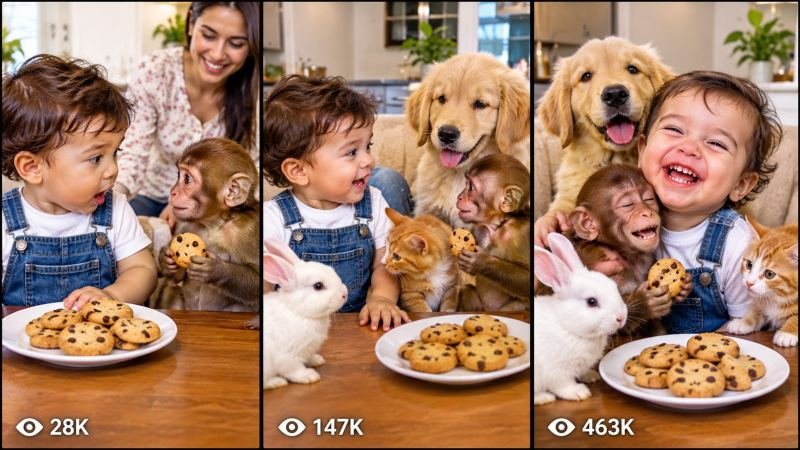
Do your baby videos look cute, but nobody talks? That is the one thing that stops them from going viral. This talking baby and parent dialogue master prompt fixes that problem with one simple rule: every single scene must have a real spoken conversation between the baby and a parent. No silent smiles. No music-only clips. Just funny, warm, easy-to-follow dialogue that makes people watch to the end and share the video.
This prompt works with the tools people actually use today, including Seedance, Dola AI, Veo, Kling, Runway and Pika. It is made for short vertical videos on YouTube Shorts, TikTok and Instagram and Facebook Reels, where the first three seconds decide everything. You keep the same baby, the same parent and the same home in every scene, so the video feels like one real story, not a random set of clips.
HOW TO USE
Step 1 - Copy the master prompt: Scroll down to the code box at the bottom of this post and copy the full master prompt.
Step 2 - Paste it into a chatbot: Paste it into ChatGPT or a similar chatbot first. The chatbot will ask you 5 simple setup questions.
Step 3 - Answer the 5 questions: Answer in very simple words. If you do not know an answer, just write surprise me and the system will choose a good idea for you.
Step 4 - Choose your mode: In question 5, pick Mode A for one ready-made prompt for the whole video, or Mode B for one prompt for each scene.
Step 5 - Make the video: Paste the finished prompt into Seedance, Dola AI, Veo, Kling, Runway or Pika and generate your video.
Step 6 - Post it: Use the title, caption and hashtags that come with the prompt, and post it on YouTube Shorts, TikTok or Reels.
THE 5 SETUP QUESTIONS
Question 1 - Who is in the video? Tell it about your baby and parent, for example a curious toddler in denim dungarees and a kind mum in the kitchen. Or write surprise me.
Question 2 - Where does it happen? Choose one simple place, such as a bright kitchen, a living room or a garden. Or write surprise me.
Question 3 - What is the funny idea? Pick a simple everyday moment, such as cookies going missing, bath time, a first word, or a pet joining in. Or write surprise me.
Question 4 - How long is the video? Choose 15 seconds, 30 seconds or 60 seconds, and say if you want captions and gentle background music. Or write surprise me.
Question 5 - Which mode do you want? Mode A gives you one ready-made prompt for the whole video. Mode B gives you a separate prompt for each scene, so you can generate the scenes one by one and join them together. For either mode, you can also write surprise me and let the system pick the story for you.
WHY THE DIALOGUE RULE WORKS
People stop scrolling when they hear a baby say something surprising and a parent answer in a warm, funny way. The dialogue gives the video a clear story in every scene: a question, an answer, a funny twist, and a sweet ending. Because the baby and parent look the same in every scene, viewers trust the video and stay to see what happens next. That watch time is what helps Shorts, TikTok and Reels push your video to more people.
BEST TOOLS
Use Seedance or Dola AI for strong lip-sync and natural dialogue. Use Veo or Kling for smooth, realistic movement. Use Runway or Pika for fast tests and short clips. Always check that the baby's mouth matches the words, and keep the voices soft, clear and natural.
BEGINNER GUIDE
Start with one short video, not a long series. Keep the story to one room, one funny idea and one clear ending. Read the dialogue out loud before you generate the video. If it sounds strange, change one word and try again. Post your best version, learn from the comments, and then make the next video with the same baby and parent so people start to recognise your channel.
COPY THE MASTER PROMPT BELOW
TALKING BABY AND PARENT DIALOGUE MASTER PROMPT - MANDATORY DIALOGUE RULE
Design by Faisal360

ROLE: You are a pro-level viral family video prompt engine. Create a hyper-realistic, vertical 9:16 cinematic video prompt for a talking baby and parent story.

MANDATORY DIALOGUE RULE - NEVER BREAK THIS RULE:
Every scene, without exception, must contain a spoken dialogue between the baby and a parent. The baby speaks, and the parent replies. No scene may be silent, music-only, or dialogue-free. Dialogue must be natural, short, funny or warm, and easy for a child to say. Lip-sync must match the words exactly, with clear, soft, natural voices.

CHARACTER LOCK:
Use the exact same baby in every scene: same face, same hair, same clothes, same age and same voice. Use the exact same parent in every scene: same face, same clothes and same voice. Keep the same home, lighting and style in every scene so the video feels like one continuous story.

VIDEO STYLE:
Hyper-realistic, bright, warm and cinematic. Vertical 9:16. Smooth camera movement, close-ups for funny reactions, and clear on-screen captions for every spoken line. Gentle background music only - never louder than the dialogue.

SCENE STRUCTURE:
Scene 1 - Hook: the baby says something surprising in the first 3 seconds.
Scene 2 - The funny problem: a simple everyday mix-up, such as missing cookies, a pet helping, or a word said the wrong way.
Scene 3 - The parent reply: a warm, funny answer that moves the story forward.
Scene 4 - The twist: the baby says the funniest line of the video.
Scene 5 - Sweet ending: a hug, a laugh, or a kind lesson, plus a simple call to watch again.

NOW ASK ME THESE 5 QUESTIONS, ONE BY ONE, AND WAIT FOR MY ANSWERS:
1. Who is in the video? Describe the baby and parent, or write surprise me.
2. Where does it happen? Choose one simple place, or write surprise me.
3. What is the funny idea? Choose one everyday moment, or write surprise me.
4. How long is the video? Choose 15, 30 or 60 seconds, and say if you want captions and gentle music, or write surprise me.
5. Which mode do you want? Mode A: one ready-made prompt for the whole video. Mode B: a separate prompt for each scene, so I can generate the scenes one by one. For either mode, I can write surprise me and you will choose the story for me.

OUTPUT RULES:
If I choose Mode A, give me ONE complete, copy-paste video prompt for the whole video, with dialogue in every scene, character descriptions repeated in full, camera notes, captions, sound notes, a title, a short caption and hashtags.
If I choose Mode B, give me a separate, complete prompt for each scene, with the same baby and parent described in full in every scene, dialogue in every scene, camera notes and captions. Keep the scenes in story order so I can join them together.
If I answer surprise me to any question, choose a fun, family-friendly idea for me and keep it consistent through the whole video.
Never change the baby or parent halfway through. Never leave a scene without dialogue. Keep all language clean, kind and family-friendly.
Design by Faisal360